About Font-Converters.com
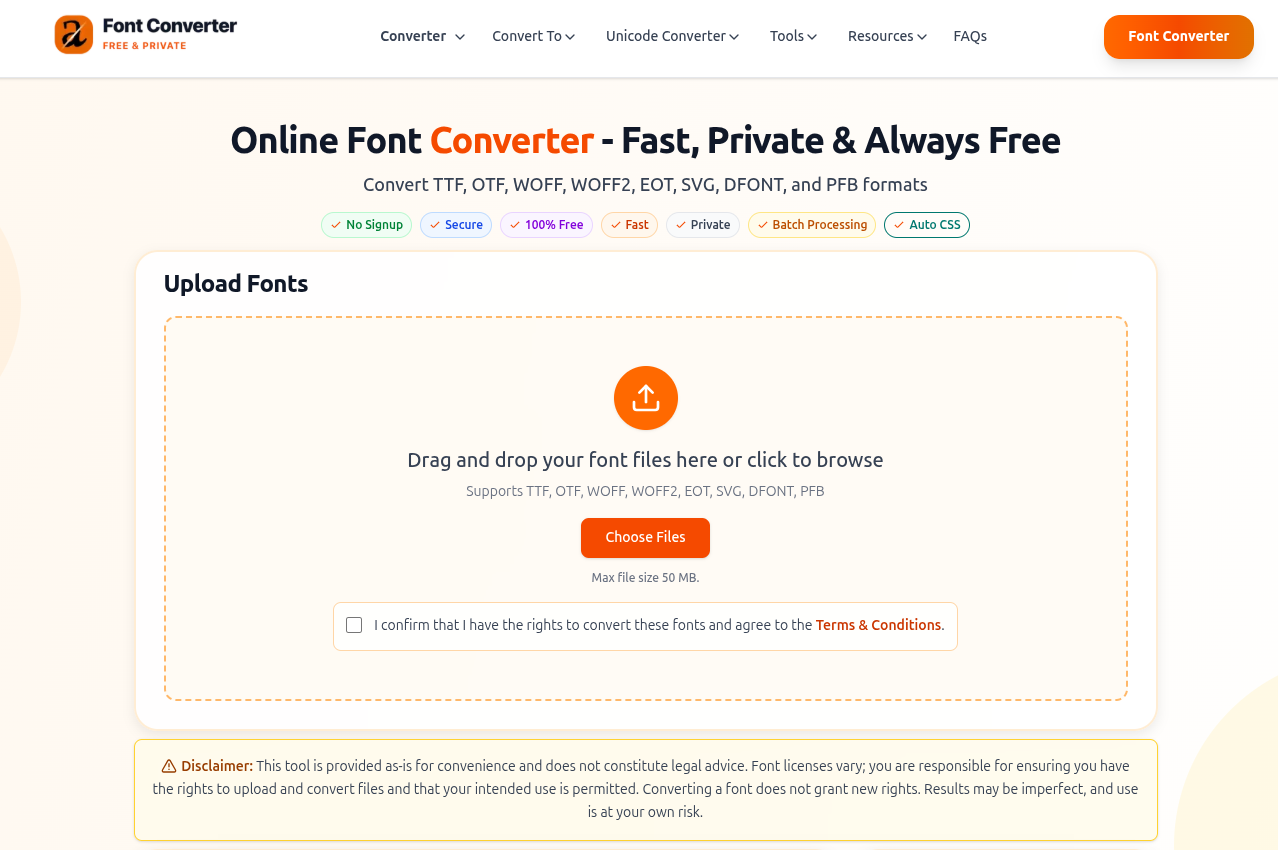
Font-Converters.com is a free online font conversion tool built for developers and designers who need to move between font formats without losing quality, paying for software, or worrying about file privacy. It supports 8 font formats (TTF, OTF, WOFF, WOFF2, EOT, SVG, DFONT, and PFB) with 56 lossless conversion paths between them.
The tool was built by Marcus Rodriguez, a full-stack developer specializing in web font implementation and performance optimization. Every conversion output is independently verified by Sarah Mitchell, a typography expert with deep expertise in font design, web typography, and accessibility. Together, they maintain the converter, the technical guides library, the solutions catalog, and the format reference, all freely available.
Your fonts never touch a hard drive
This is the single most important difference between Font-Converters.com and other online converters. All font processing happens in volatile server RAM on Oracle Cloud infrastructure. Zero files are ever written to disk. Font data is purged from memory the instant conversion completes. There is no account system, no email collection, no file retention. Most competing tools cannot tell you where your file ends up after you upload it. Font-Converters.com can: it's gone from memory the second you download the result. You can read the technical details in the privacy policy and security architecture.
Lossless, professional-grade output
Every conversion preserves all glyph outlines, kerning pairs, ligatures, hinting instructions, and OpenType features. The output quality matches paid desktop tools like FontForge or TransType. This isn't marketing copy: Sarah Mitchell tests conversion output against reference renders for every supported conversion path. The features page lists exactly what's preserved during each conversion type.
No signup, no limits, no catches
No account. No email. No conversion limits. No watermarks on output. No "free tier" with artificial restrictions designed to upsell you. The tool is monetized through ads, which means there's no incentive to gate features behind a paywall. You can convert 1 font or 100 and the experience is identical. The converter also generates ready-to-use @font-face CSS code alongside every conversion, supports batch uploads for converting multiple files at once, and includes font subsetting to strip unused glyphs from the output. If you want to understand how this compares to specific alternatives, the comparison page breaks it down tool by tool.
More than a converter
Font-Converters.com is backed by a full resource library: expert guides covering everything from getting started to advanced web font optimization, a solutions catalog for common problems like slow page loads and cross-browser rendering issues, detailed format comparisons, a step-by-step walkthrough, and a comprehensive FAQ. Everything you need to make informed decisions about fonts, not just convert them.
What Is Font Conversion, and Why Does It Matter?
Font conversion is the process of transforming a font file from one format to another while preserving all typographic data, including every glyph outline, kerning pair, ligature, and OpenType feature. It's a routine part of modern web development because fonts are distributed in formats designed for different purposes, and the format you receive from a type foundry is rarely the format you need for your website.
Desktop operating systems use TrueType (.ttf) and OpenType (.otf) fonts natively. These formats are uncompressed and optimized for local rendering, not network delivery. When you load a 300KB TTF file on a webpage, that's 300KB your user downloads before they see any text. Or worse, they see a flash of invisible text (FOIT) while the font loads.
Web-optimized formats like WOFF and WOFF2 solve this. WOFF2 in particular uses Brotli compression (developed by Google, standardized by the W3C) to shrink font files by 30–50% compared to WOFF and up to 70% compared to raw TTF. That means faster page loads, better Core Web Vitals scores, and no invisible text flashes.
The core challenge is that 8 distinct font formats exist, each designed for a specific era and platform. Converting between them correctly, without corrupting glyph data or losing OpenType features, requires tools that understand the internal structure of each format. Font-Converters.com handles all 56 possible conversion paths between these 8 formats with lossless, server-side processing.
The 8 Font Formats, Explained
Understanding what each format was designed for helps you choose the right output when converting. Here's what you need to know about every format that Font-Converters.com supports:
For a deeper technical comparison of all 8 formats, including file size benchmarks and rendering characteristics, see the complete format reference on Font-Converters.com.
Which Font Format Should You Use?
The answer depends entirely on where the font will be used. Here's a practical decision matrix:
| Use Case |
Recommended Format |
Why |
| Modern websites (2020+) |
WOFF2 |
Best compression, 97%+ browser support, improves Core Web Vitals |
| Websites needing IE11 support |
WOFF2 + WOFF fallback |
WOFF2 primary, WOFF only for IE11 users |
| Desktop applications (Windows/Mac) |
TTF or OTF |
Native OS rendering, no compression needed |
| Print/publishing workflows |
OTF |
Advanced typographic features for professional layout |
| Mobile apps (iOS/Android) |
TTF |
Widest native support across mobile SDKs |
| Email newsletters |
System fonts (no custom fonts) |
Most email clients strip custom font declarations |
| Legacy IE intranet |
EOT |
Only option for IE9 and earlier |
Still unsure? Font-Converters.com has a format selection guide that maps every use case to the appropriate format, and a set of head-to-head format comparisons (e.g., TTF vs WOFF2, WOFF vs WOFF2) that show exact file size differences.
The WOFF2 Deep Dive: Why Brotli Compression Changes Everything
WOFF2 isn't just "a better WOFF." It uses a fundamentally different compression algorithm called Brotli, which was purpose-built by Google for compressing web content. Here's why that matters.
Compression Comparison
Take a typical font file: Inter Regular in TTF format weighs about 316KB. Here's what happens when you convert it:
| Format | Compression | Typical Size | Savings vs TTF |
|---|
| TTF (raw) | None | 316 KB | Baseline |
| OTF (raw) | None | 290 KB | ~8% |
| WOFF (gzip) | gzip | 195 KB | ~38% |
| WOFF2 (Brotli) | Brotli | 115 KB | ~64% |
That 200KB difference between TTF and WOFF2 adds up fast. A website using 4 font weights (regular, italic, bold, bold-italic) saves ~800KB of bandwidth per page load. That's the difference between a 1.2 second and a 0.4 second font load on a 3G connection.
Impact on Core Web Vitals
Google uses three Core Web Vitals metrics to evaluate page experience, and fonts directly affect two of them:
- Largest Contentful Paint (LCP): If your hero heading uses a custom font, the font file is on the critical rendering path. A 316KB TTF blocks rendering until it downloads; a 115KB WOFF2 loads 3x faster.
- Cumulative Layout Shift (CLS): When a fallback system font renders first and then swaps to the custom font, text reflows and causes layout shift. Smaller font files reduce the swap window, minimizing CLS.
The web font optimization guide on Font-Converters.com covers additional techniques like font-display: swap, preloading, and resource hints that further improve these metrics.
Browser Support
WOFF2 is supported by 97.4% of browsers globally as of March 2026:
- Chrome 36+ (2014)
- Firefox 39+ (2015)
- Safari 12+ (2018)
- Edge 14+ (2016)
- Opera 23+ (2014)
- All mobile browsers (iOS Safari 12+, Chrome Android, Samsung Internet)
The only notable holdout is Internet Explorer 11, which supports WOFF but not WOFF2. For the 0.3% of users still on IE11, you can serve a WOFF fallback using multiple src declarations in your @font-face rule. The browser compatibility guide has the exact CSS patterns for this.
How to Convert Font Files: Step by Step
Whether you need to convert a desktop font to WOFF2 for the web or convert a web font back to TTF for local editing, the process on Font-Converters.com is the same:
-
Upload your font file.
Drag and drop your file onto the converter, or click to browse. Supports TTF, OTF, WOFF, WOFF2, EOT, SVG, DFONT, and PFB. Files up to 50MB are accepted, and you can upload multiple files for batch conversion.
-
Select the output format.
Choose one format (e.g., WOFF2) or select multiple for a multi-format export (e.g., WOFF + WOFF2 simultaneously). If you're converting a single file and want per-file control, the file font converter tool gives you individual conversion options.
-
Configure advanced options (optional).
Enable subsetting to strip unused glyphs and reduce file size further. This is especially useful if you're using a multilingual font but your website only needs Latin characters.
-
Download the converted font and CSS.
The converter outputs your converted font file plus auto-generated @font-face CSS code you can copy directly into your stylesheet. All processing happens in server RAM with no files written to disk, and data is purged from memory immediately after conversion.
For a visual walkthrough with screenshots, see the detailed how-it-works page. New to font conversion entirely? The getting-started guide walks you through choosing the right format for your project before you even start converting.
Web Font Optimization Beyond Format Conversion
Converting to WOFF2 is the single biggest optimization you can make, but it's not the only one. Here are the techniques that experienced developers combine with format conversion to achieve maximum performance:
Font Subsetting
A full Google Fonts file for Noto Sans covers Latin, Cyrillic, Greek, Vietnamese, and dozens of other scripts, totaling over 3,000 glyphs. If your website is English-only, you need roughly 230 glyphs. Subsetting strips the rest, often reducing file size by 70–90% on top of WOFF2 compression. Font-Converters.com includes built-in subsetting as part of the conversion process.
The font-display Property
The CSS font-display descriptor controls what happens while your font loads:
font-display: swap: Shows fallback text immediately, swaps to custom font when loaded. Best for body text.font-display: optional: Uses the custom font only if it loads within ~100ms (from cache). Best for non-critical fonts. Eliminates CLS entirely.font-display: fallback: Middle ground. Shows fallback for ~100ms, then swaps if the font loads within 3 seconds.
Preloading Critical Fonts
Add a <link rel="preload"> tag in your <head> for fonts used above the fold:
<link rel="preload" href="/fonts/inter-regular.woff2"
      as="font" type="font/woff2" crossorigin>
This tells the browser to start downloading the font immediately, before it even parses the CSS. Combined with WOFF2 compression, this often loads fonts before the page finishes rendering.
Self-Hosting vs CDN
Self-hosting your fonts (rather than loading from Google Fonts or a CDN) eliminates a DNS lookup, a TLS handshake, and a cross-origin connection, saving 100 to 300ms on first load. Since WOFF2 files are small and highly cacheable, self-hosting is now the recommended approach. Font-Converters.com generates the @font-face CSS you need for self-hosted fonts automatically.
The web font optimization guide goes deeper into each technique with real-world performance measurements and before/after comparisons.
Browser Compatibility: Which Formats Work Where
In 2026, browser compatibility for web fonts is straightforward. Here's the current state:
| Format | Chrome | Firefox | Safari | Edge | IE 11 |
|---|
| WOFF2 | 36+ | 39+ | 12+ | 14+ | No |
| WOFF | 5+ | 3.6+ | 5.1+ | 12+ | 9+ |
| TTF/OTF | 4+ | 3.5+ | 3.1+ | 12+ | 9+ (partial) |
| EOT | No | No | No | No | 6+ |
| SVG | No (removed) | No | 3.1–13 | No | No |
The practical takeaway: Serve WOFF2 only. If you have a contractual obligation to support IE11, add a WOFF fallback. Everything else (EOT, SVG, raw TTF in @font-face) is unnecessary in 2026.
For the exact CSS patterns and testing strategies, see the cross-browser font compatibility guide.
Common Font Conversion Problems (and How to Solve Them)
Even with a reliable converter, font-related issues crop up in real projects. Here are the problems developers encounter most often, with practical fixes:
Slow Page Load Times from Font Files
If your Lighthouse audit shows fonts blocking the critical rendering path, the fix is usually a combination of WOFF2 conversion and subsetting. A 400KB TTF becomes a 60KB subsetted WOFF2, moving fonts off the critical path entirely. Font-Converters.com's slow page loads solution walks through the exact steps.
Fonts Rendering Differently Across Browsers
Cross-browser rendering differences are usually caused by serving the wrong format or missing hinting instructions. The cross-browser solution guide covers multi-format @font-face declarations and testing workflows.
Font Files Too Large for Fast Loading
If your font file is over 100KB even in WOFF2, you likely have a font with many language scripts or decorative glyphs you're not using. Subsetting during conversion solves this. See the large file size solution for subsetting strategies.
Font Licensing Confusion
Converting a font does not grant new licensing rights. Many fonts have separate licenses for desktop, web, app, and ePub use. Some licenses explicitly prohibit format conversion. Always check your license before converting. The font licensing guide explains common license types and what's typically permitted.
For a full catalog of problems and fixes, browse all font conversion solutions.
Privacy & Security: How Your Fonts Are Handled
If you work with proprietary or licensed fonts, you need to know exactly what happens to your files when you upload them for conversion. Here's how Font-Converters.com handles font data:
- Volatile processing only. Font files are streamed directly into server RAM on Oracle Cloud infrastructure. No files are ever written to disk, archived, or backed up.
- Immediate deletion. As soon as conversion completes and you download the result, font data is overwritten in memory. There is no retention period.
- No personal data collected. No names, emails, phone numbers, or payment information. No account creation. No login required.
- No file storage. Unlike most online converters, Font-Converters.com has a zero-disk-storage architecture. Your proprietary fonts never exist as files on a server.
The site is monetized through ads (Google AdSense), with analytics via Google Analytics 4 and Microsoft Clarity for usage improvement only. You can opt out of personalized ads via Google Ads Settings.
For full details, read the privacy policy, terms of use, and security policy. For questions, reach out via the contact page or email support@font-converters.com.
About the Authors

Marcus Rodriguez
Developer · Font-Converters.com
Full-stack developer specializing in web font implementation and performance optimization. Marcus built the Font-Converters.com conversion engine and wrote the technical content across the site's guides and solutions library.

Sarah Mitchell
Verifier · Typography Expert
Typography expert specializing in font design, web typography, and accessibility. Sarah verifies all technical claims and conversion output quality, ensuring every conversion path produces results that match paid desktop tools.
Frequently Asked Questions
What is WOFF2, and why is it the recommended web font format?
WOFF2 uses Brotli compression (developed by Google, standardized by the W3C) to achieve 60–70% file size reduction compared to raw TTF. It's supported by 97%+ of browsers and is the recommended format because it significantly improves Core Web Vitals metrics like LCP and CLS. Learn more in the WOFF2 format reference.
Does font conversion reduce quality?
No. Conversion between modern formats (TTF, OTF, WOFF, WOFF2) is 100% lossless. All glyph outlines, kerning pairs, ligatures, hinting instructions, and OpenType features are perfectly preserved. The features page details exactly what's preserved during each conversion.
Is it safe to upload proprietary or licensed fonts?
On Font-Converters.com, yes. All processing happens in server RAM with zero files written to disk. Data is purged immediately after conversion. Read the security architecture for technical details. However, you are responsible for ensuring your font license permits format conversion.
What is the difference between TTF and OTF?
TTF uses quadratic Bézier curves; OTF supports cubic Bézier curves and more advanced OpenType features. For web use, the difference is negligible after WOFF2 compression. See the TTF vs OTF comparison for details.
How does font subsetting improve web performance?
Subsetting removes unused glyphs from a font file. A full font with 2,000+ glyphs can be reduced to ~230 for Latin-only use, cutting file size by 70–90% on top of WOFF2 compression. This directly improves page load speed and Core Web Vitals.
Which browsers still need WOFF fallback?
Only Internet Explorer 11. All modern browsers support WOFF2 natively. Check the browser compatibility guide for exact version numbers and CSS fallback patterns.
For more questions, visit the full FAQ library on Font-Converters.com, or browse the comparison with other converters to see why developers and designers choose Font-Converters.com over alternatives.
Ready to Convert?
Font-Converters.com handles all 56 conversion paths between 8 font formats with lossless, server-side processing. No signup, no limits, no watermarks. Free forever.
Open Font-Converters.com